
Updated May 03, 2026 · 10 min read
Can You Check If Someone Has Googled You?
No — Google doesn't reveal who searches for you, and no app can either. Here's what you can actually track about your online presence and how to control what people find.

The short answer is no. Google does not provide individuals with a feature that reveals who searched their name, and search activity is anonymous at the user level. This is one of the most common misconceptions about online privacy and search engines. However, the fuller picture involves understanding what tools actually exist and what you can realistically monitor about your online presence.
Table of Contents
- The Simple Truth About Google Search Privacy
- Why Google Keeps Searches Anonymous
- What You Can Actually Track
- Tools That Monitor Your Online Mentions
- LinkedIn Profile Views
- Monitoring Search Trends for Your Name
- What About Data Brokers and People-Search Sites?
- The Real Focus: Control What They Find
- Frequently Asked Questions
The Simple Truth About Google Search Privacy
You cannot specifically see who Googles your name, and monitoring tools that claim otherwise are misleading. No app, browser extension, or paid service can reveal individual Google searchers. Unlike social platforms where some profile views are visible, search engines like Google do not notify you when someone looks up your name.
This is by design. Searches are encrypted, and when you search Google, Google is the only entity that "sees" that search. The person being searched for has no way to access this information, and Google maintains strict privacy controls around search data.

Why Google Keeps Searches Anonymous
People can't see that you've Googled them because Alphabet Inc., the company behind Google Search, doesn't have any business interest in letting people know when they've been searched, and although it may keep records for its own reasons, it doesn't share this information with individuals.
The reasoning is straightforward. If Google revealed who searched for whom, it would create massive privacy concerns. Users would hesitate to search for sensitive health topics, personal information, or anything they wanted to keep private. Google's business model depends on collecting search data for advertising purposes, not on exposing search behavior to the people being searched for.
What You Can Actually Track
While you can't see who Googles your name, you have other options. You can use Google Alerts, Google Trends, and other SEO tools to monitor your online visibility and, indirectly, your online reputation.
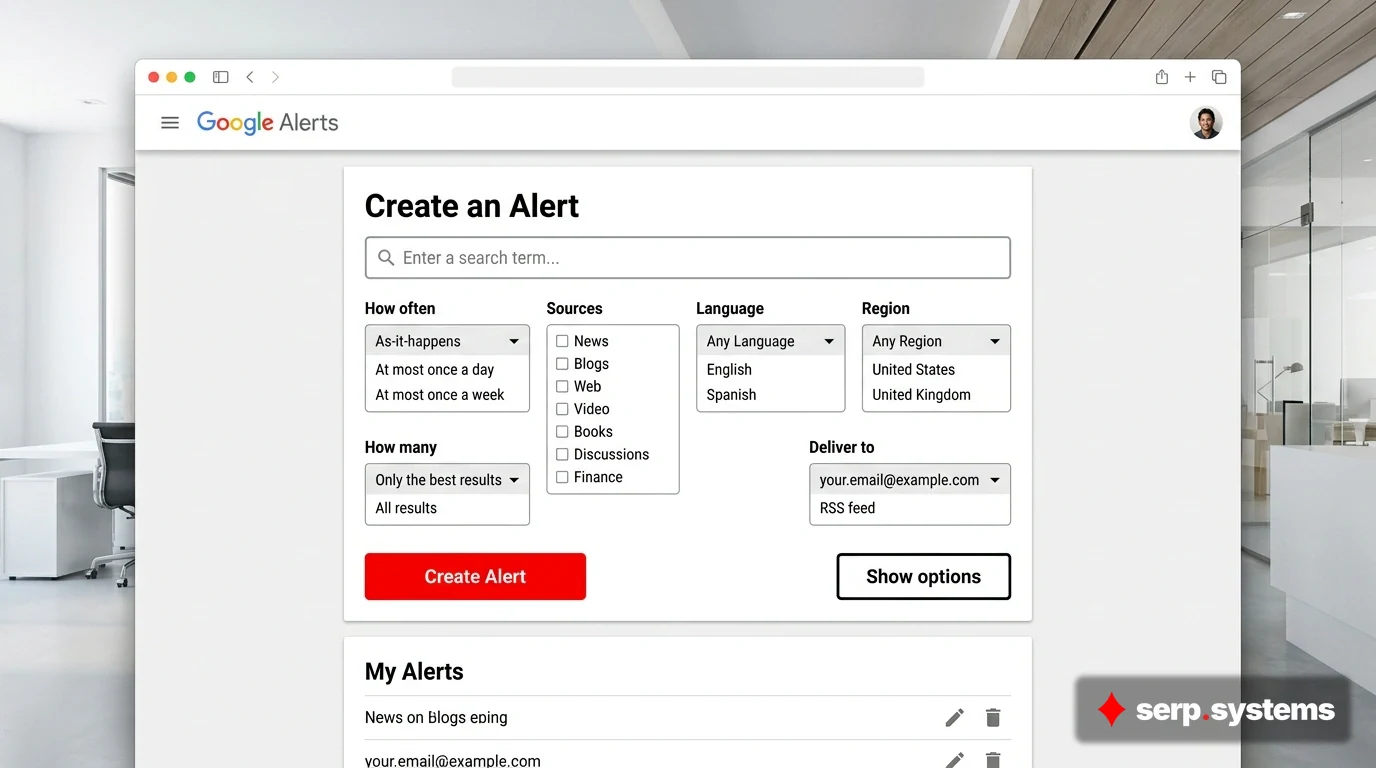
Google Alerts is the most popular starting point. You can set up a Google Alert to receive a notification every time a new website mentioning your name gets indexed with Google Search, which won't tell you how many times your name has been Googled, but it will let you stay on top of what people Googling your name are likely to come across. This shifts your focus from "who searched for me?" to "what will they find?" — which is ultimately more useful.
To set up a Google Alert, visit the Google Alerts website and enter your name in quotes. If your name is common, you can add qualifiers like your profession or location to narrow results.
Tools That Monitor Your Online Mentions
Beyond Google Alerts, several other tools can help you track online mentions of your name. While Google Alerts primarily covers news and websites, Mention also tracks the social media sites that other tools miss, and another option is the free tier of Talkwalker Alerts, which monitors these same platforms.
These mention-tracking tools work by scanning the web for instances of your name and alerting you when new content appears. They're particularly useful for catching mentions on forums, Reddit threads, blog comments, and social media — places where Google Alerts might miss activity.
The key difference is that these tools monitor mentions of your name, not searches for your name. If someone writes about you online, you'll get notified. But if someone simply searches for you and doesn't click through to anything you control, you won't know about it.
LinkedIn Profile Views
One notable exception exists in the world of professional networks. When you search for someone on LinkedIn or view their profile while you're logged in to the platform, they can see that you viewed it, especially if they have LinkedIn Premium. This is one of the few places where search activity is actually visible.
Social media platforms like Microsoft's LinkedIn will let you know how many times your profile appeared in users' search results in the past week or how many times it'd been viewed by other users, though Microsoft will tell you a lot more about who has been looking you up on LinkedIn, but not while you're on a free account.
If you want to search for someone on LinkedIn without them knowing, you can change your profile settings to "Private Mode" to hide your search activity.
Monitoring Search Trends for Your Name
If you have a unique or uncommon name, Google Trends can provide some insights. Google Trends data is based on a sample of search data, and search frequency is presented on a scale of 0 to 100, where 0 means no discernable interest and 100 represents peak interest for the given period.
You might be able to, for example, correlate a spike in searches with a doxxing incident. This can help you understand when interest in your name increases, even if you can't identify specific individuals doing the searching.
The limitation is significant: Google Trends only picks up on searches performed through Google Search, so people looking for you online using privacy-respecting search engines or social media sites won't affect these statistics.

What About Data Brokers and People-Search Sites?
When you search for your own name on Google, you'll likely encounter data brokers like Spokeo, MyLife, and Whitepages. Some data brokers claim they can tell you how many times you've been searched on Google, but these data brokers don't have any special access to Alphabet's Google logs, so their claims are, to put it bluntly, false.
These sites compile publicly available information and sell access to people looking for background information. They don't have access to Google's search logs. However, they do reveal what information about you is publicly available online — and that's worth paying attention to.
People-search sites collect personally identifiable information from a wide range of online databases and compile it into a single, unified profile. If you're concerned about privacy, you may want to opt out of these services by submitting removal requests directly to them.
The Real Focus: Control What They Find
Rather than obsessing over who might be searching for you, the better strategy is to control what they find. Instead of trying to figure out who is searching for you, it's important to learn how to control and protect both your electronic privacy and your online reputation so people who may be browsing for you get the search suggestions you want them to get.
This involves several steps:
- Create a personal website or landing page with information you want people to see
- Optimize your social media profiles so they rank well for your name
- Build consistent bios across platforms and link them together
- Monitor data broker sites and opt out where possible
- Request removal of sensitive personal information from Google Search results
Tools like serp.systems can help you understand your online visibility and track how your name appears across search results and AI-generated content, allowing you to manage your reputation proactively rather than reactively.
Frequently Asked Questions
Can someone tell if I've Googled them?
No. Individuals can't see when you perform a simple Google search of their name. The only exception is LinkedIn, where profile views are tracked if you're logged in.
What if someone has a website? Can they see if I searched for them?
Possibly, but only indirectly. If you search for someone and click through to their website, they can see you arrived via a Google search for their name through their analytics. However, they can't identify you personally — only that someone searched for them and visited their site.
Are there any apps that notify me if someone searches for me?
There are no apps that reveal searchers, but tools like Google Alerts, Mention, and LinkedIn can signal increased activity. No legitimate service can identify individual Google search users.
How often should I check my online reputation?
At least quarterly, or more frequently if you're in the public eye. Set up Google Alerts for your name and check them regularly. If you have sensitive information online, monitor more frequently.
Can I remove my name from Google search results?
Partially. Google launched the Results about you tool to make it easy for you to request the removal of search results that contain your personal phone number, home address or email, right from the Google app or however you access Search. You can also request removal of other sensitive content, though not all results are eligible for removal.
Why do I keep seeing my information on people-search websites?
Data brokers aggregate publicly available information from various sources. The vast majority of people-search sites have opt-out processes that let you remove your profile from their databases. You can submit opt-out requests directly to each site, though this is time-consuming if there are many.